
freebsd:roundcube
Roundcube 1.4 설치
cd /usr/ports/mail/roundcube/
make config
make all install clean
아래 설정을 Roundcube가 운래 설치된 /usr/local/www/roundcube 를 가정하고, http://my.domain/roundcube 주소로 인터넷에서 접속할 수 있는 상황을 가정지만, 이 공간은 원하는 대로 바꿀 수 있으며, 인터넷 주소또한 가상호스트(예를 들어 https://webmail.jikji.org)를 이용해서 원하는 주소로 바꾸어 줄 수 있다.
/usr/local/www/roundcube/config/config.inc.php 설정
cd /usr/local/www/roundcube/config cp -Rp config.inc.php.sample config.inc
config.inc 에서 다음 내용을 확인한다.
$config['db_dsnw'] = 'mysql://roundcube:mytopsecret@localhost/roundcube';

$config['default_host'] = 'tls://my.domain';
$config['smtp_server'] = 'tls://mail.my.domain';
// SMTP port. Use 25 for cleartext, 465 for Implicit TLS, or 587 for STARTTLS (default)
$config['smtp_port'] = 587;

// This key is used to encrypt the users imap password which is stored
// in the session record. For the default cipher method it must be
// exactly 24 characters long.
// YOUR KEY MUST BE DIFFERENT THAN THE SAMPLE VALUE FOR SECURITY REASONS
$config['des_key'] = '123465789AA987654321ABCD';

$config['enable_installer'] = true;
이제 database roundcube와 MySQL DB 사용자 roundcube를 만들어 준다.
mysql -u root -p
[(none)] create database roundcube;
[(none)] use mysql;
[mysql] create user 'roundcube'@'localhost' identified by 'mytopsecret';
[myql] grant all privileges on roundcube.* to 'roundcube'@'localhost';
[mysql] flush privileges;
[mysql] exit
이렇게 한 다음에 마지막으로 http://my.domain/roundcube/installer 주소로 들어가서 지시하는 대로 설치를 한다. 설치를 마치면 /usr/local/www/roundcube/config/config.inc.php 에 있는 다음 줄을 주석처리한다.
#$config['enable_installer'] = true;
더 확실하게 하려면 설치 디렉토리를 삭제한다.
rm -rf /usr/local/www/roundcube/installer
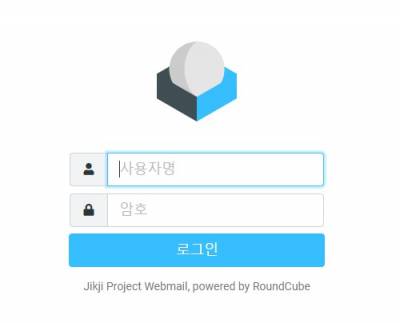
다음과 같은 로그인 화면을 http://my.domain/roundcube/에서 볼 수 있으면 성공한 것이다.
;#;
 ;#;
;#;
freebsd/roundcube.txt · 마지막으로 수정됨: 2021/01/09 14:25 저자 127.0.0.1